Credit cards
Spec
A credit card is an account with the same register as checking, shown as what it owes. New purchases are set aside in the checking account it is paid from, so they come off safe to spend the day they are made; debt from before the card was added is its carried balance, and is never set aside.
The card
- Added from Add account with "Credit card": the name, "Amount you owe today" (a cleared "Carried balance" entry) and "Paid from" (checking accounts only). Paid plan only, like any second account.
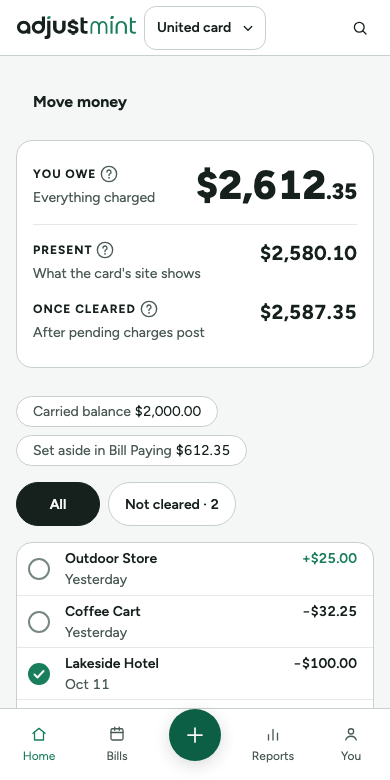
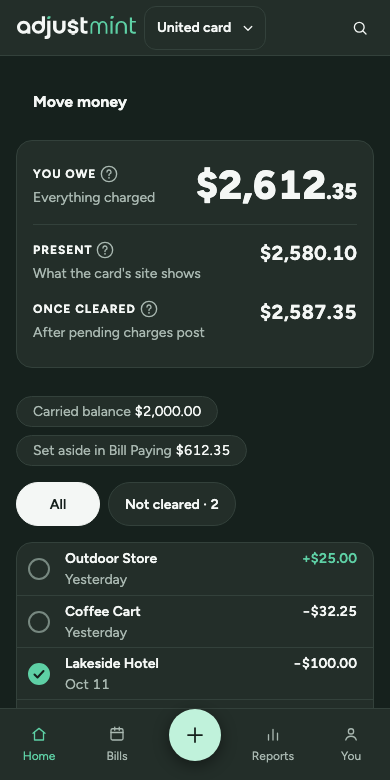
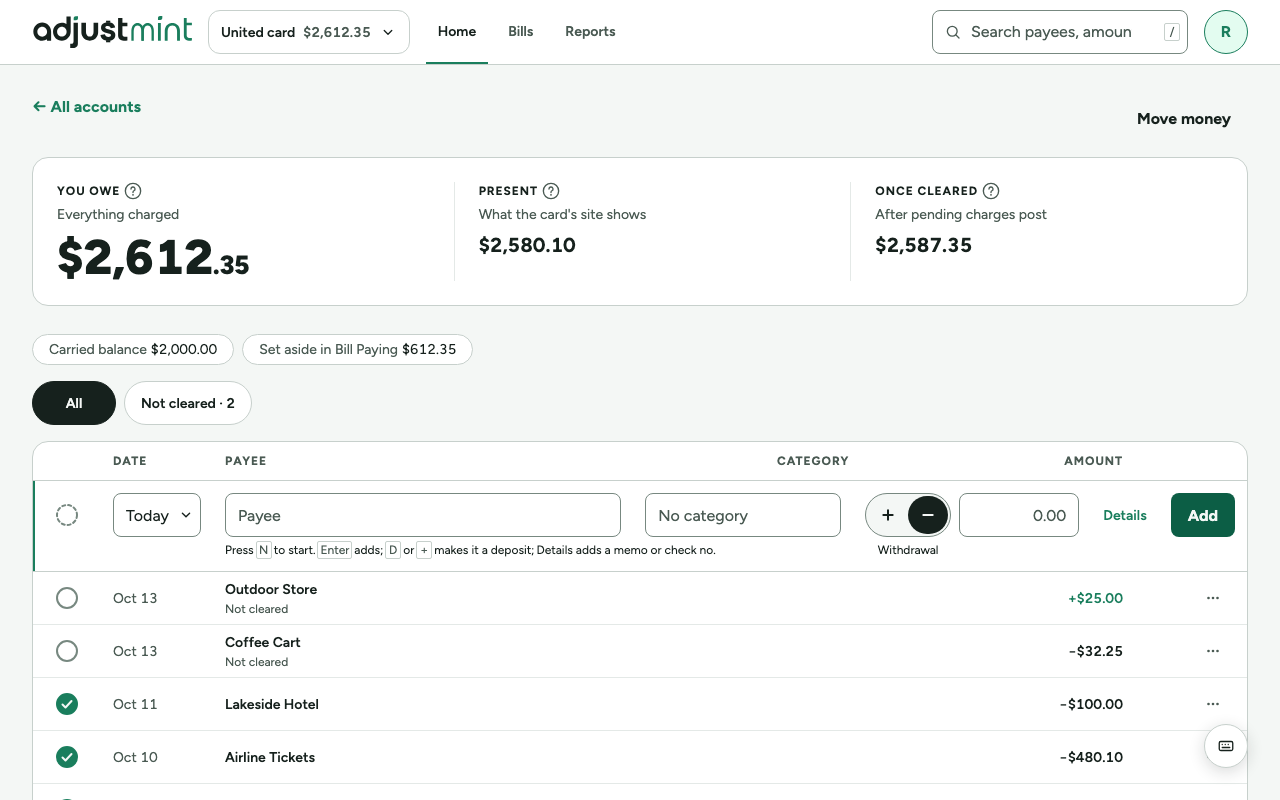
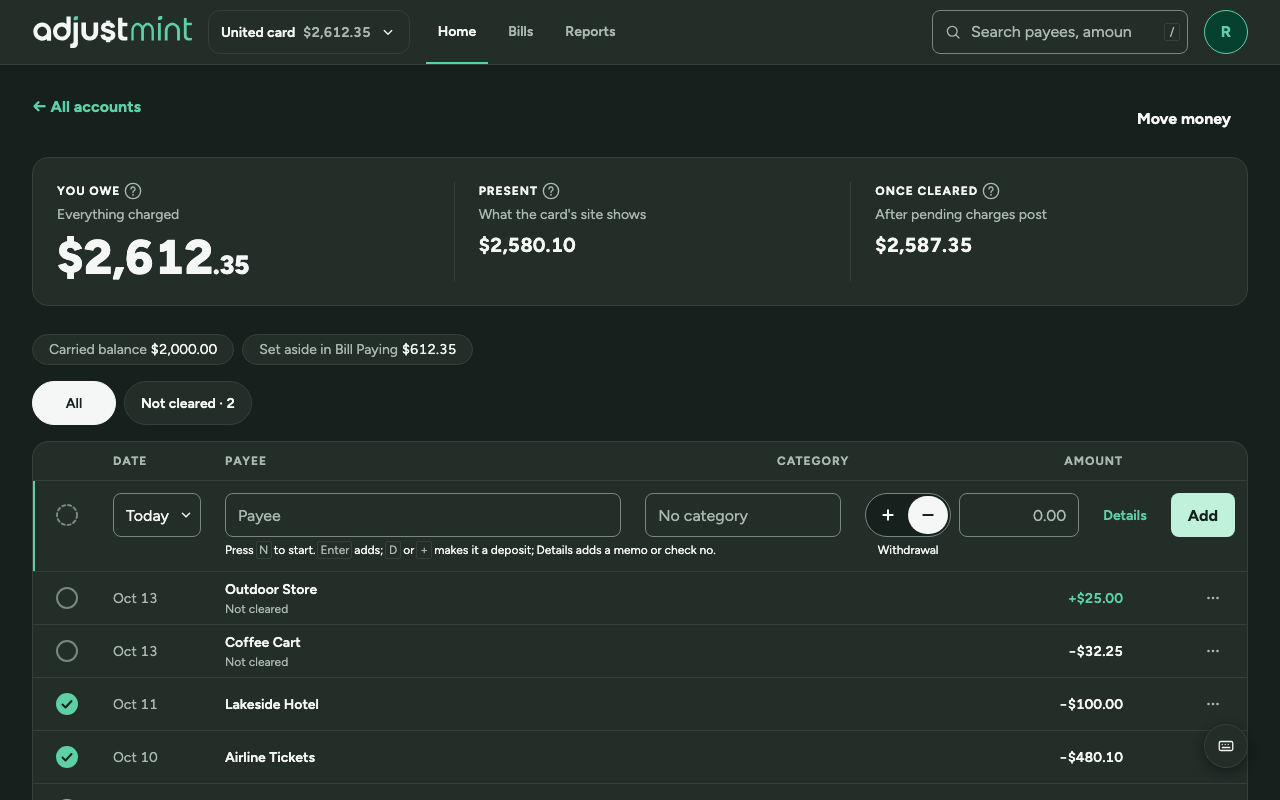
- Its page: "You owe" (Immediate) as the lead figure, then Present ("What the card's site shows") and Once cleared ("After pending charges post"), all as positive amounts. "Your credit" when it has been paid beyond what it owed.
- Under the balances, read-only chips: "Carried balance $2,000.00" (hidden at $0.00) and "Set aside in Bill Paying $612.35", which shows what the card's Road to payday row takes off from today (everything owed when paying in full).
- No runway on a card. Purchases are withdrawals, refunds and payments deposits; cleared means posted.
- A card's type never changes, a payday never lands in one, and money only moves to a card, never out of one.
Set-aside and carried balance
- Taken in the order entries were made: a payment covers what was entered before it.
- Set aside: purchases since the last scheduled payment (or since the card was added), cleared or not, less refunds once cleared and payments once entered. Never below zero.
- Payments cover the set-aside first, then the carried balance.
- Only the scheduled payment closes a period: if it pays less than was set aside, the rest becomes carried balance, and the set-aside starts again at zero. An extra transfer never adds to the carried balance.
On Road to payday
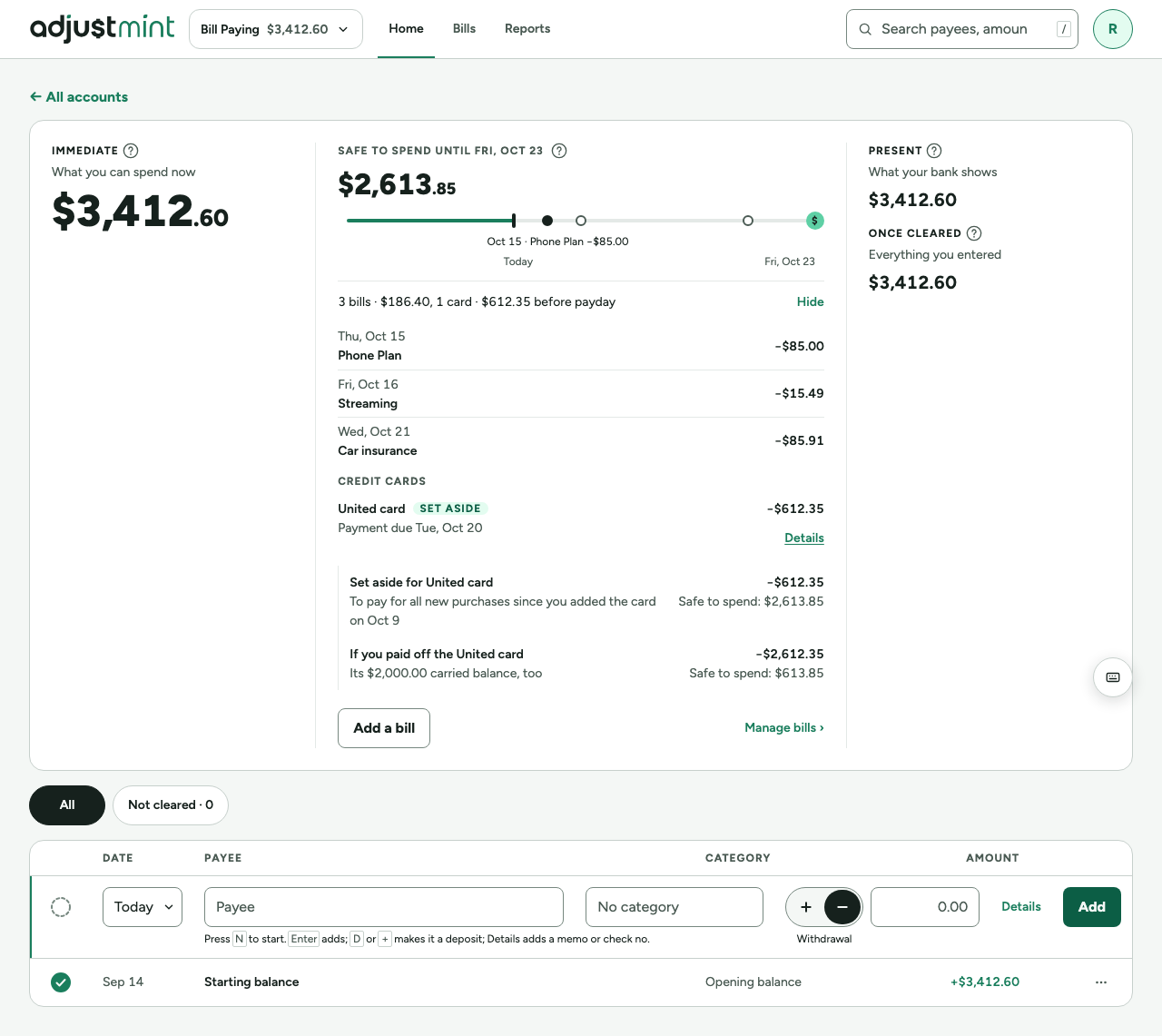
- A "Credit cards" group under the bills, one row per card paid from the account, taken off once.
- "Everything you owe" takes off everything owed, from today, whether the payment is before or after payday (1.1.0). Otherwise it takes off the larger of what is set aside and the next payment when that is due on or before payday, and only what is set aside when it is after.
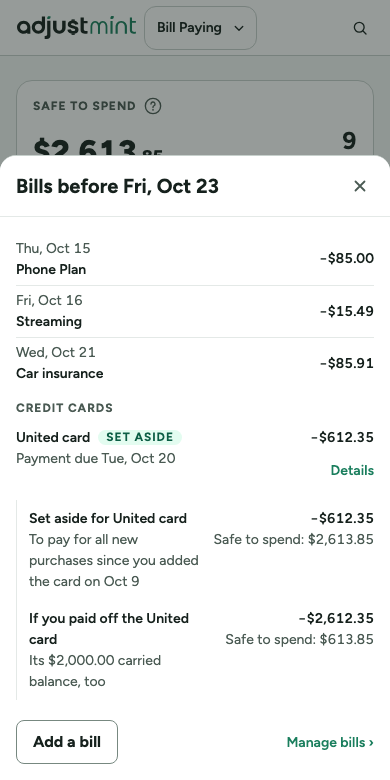
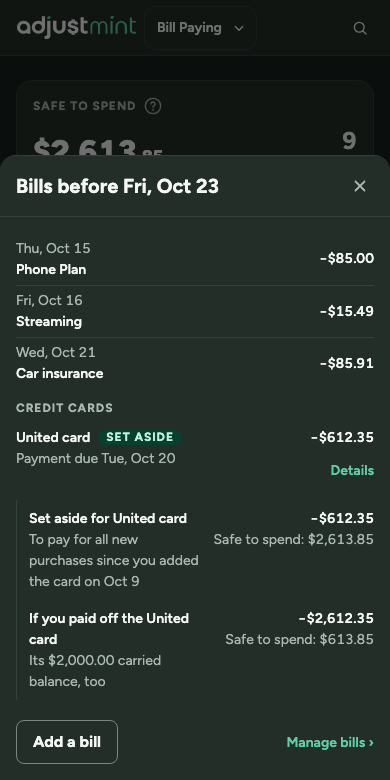
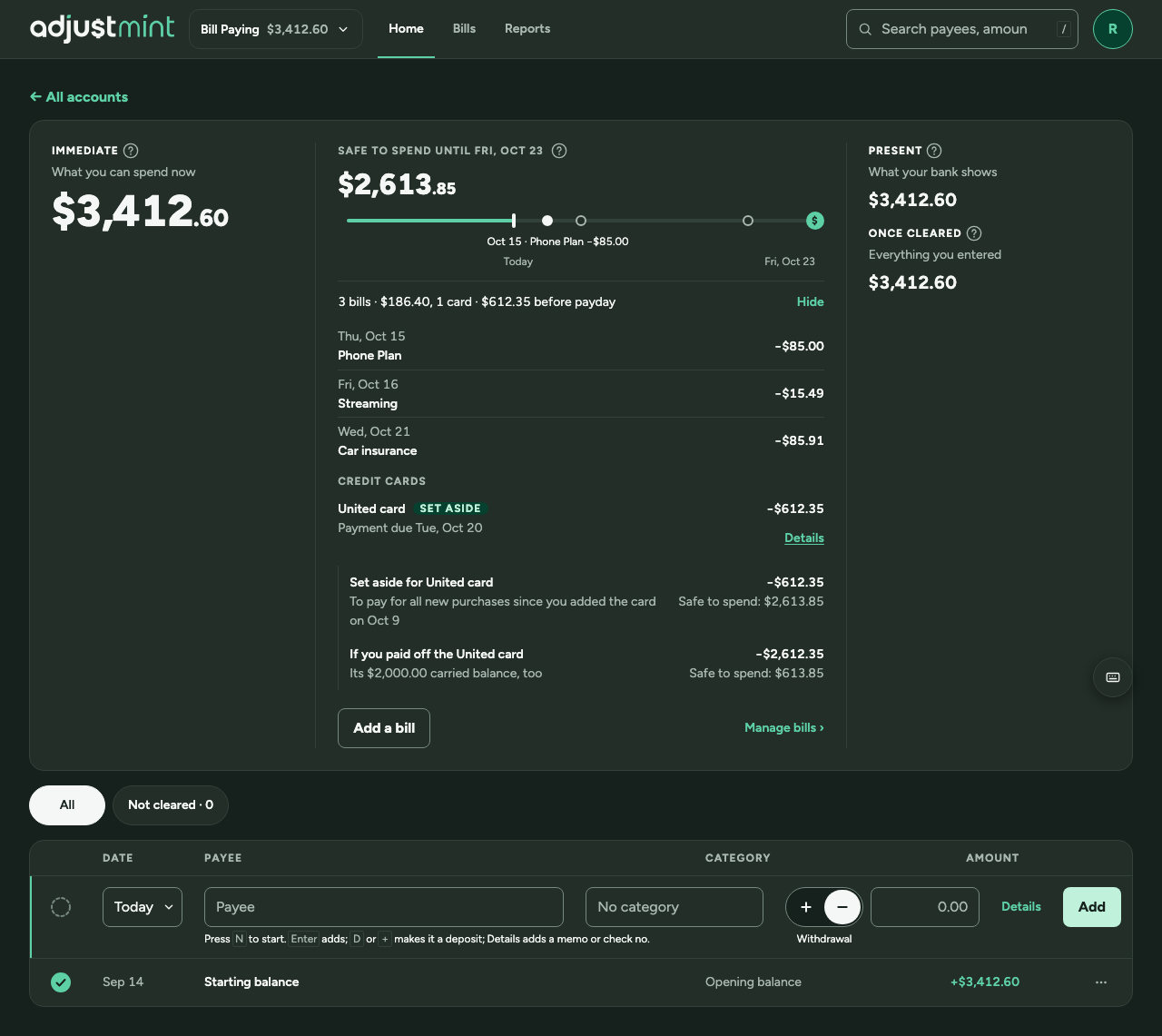
- The row: the card's name and a badge ("Set aside" or "Paying in full"), "Payment due Tue, Oct 20" / "Payment due Sun, Nov 1, after payday" / "No payment date yet", the amount, and Details under it. A row taking off $0.00 adds the payment's amount ("… after payday · $40.00") and is left out of the summary line.
- Details: "Set aside for United card" and "If you paid off the United card" with a carried balance; "To pay off (set aside)" without; "Everything you owe" / "$618.56 carried balance, plus new purchases as you make them" when paying in full, alone. Each amount has "Safe to spend: $X" under it.
- The set-aside counts from today (today's tooltip lists it); a payment's part beyond it lands on its due date.
The card payment
- "Card payment": From, To, Due date, Repeats, and the amount: "Everything set aside" (default), "Everything you owe" or "Another amount", each with its line, then the two-paragraph note.
- A bill on the Paid from account. On its due date it enters itself as a not-cleared transfer to the card with the Scheduled badge, its amount worked out then. A transfer already made in the 10 days before is linked instead; nothing to pay settles the date.
- The Bills page lists card payments in their own "Credit cards" section; a row opens the form.
- Editing an entered payment that pays less than was set aside: "Paying less than the $612.35 set aside? The other $312.35 becomes part of the United card's carried balance." under the amount, in a neutral note (surface-accent-subtle): not amber, which means overdraft.
Built 1.1.0
The app itself, version 1.1.0, with made-up data. Taken 2026-10-14.
Changes
- 1.1.0, Oct 14 2026: "Everything you owe" counts in full from today, before or after payday: badge "Paying in full", one Details line, and the Set aside chip shows what the row takes off. (#113)
- 1.0.0, Oct 14 2026: First version: card accounts, set-aside and carried balance, the Card payment form, the Bills page's Credit cards section and the edit dialog's note. (#57)