Category picker
Spec
Agreed Oct 8 (#49; groups and starting categories in #50). Group headings with the categories under them, the most-used categories above, and one flat list once you type. Picking a payee fills its category, so the picker is mostly used for new payees.
Order
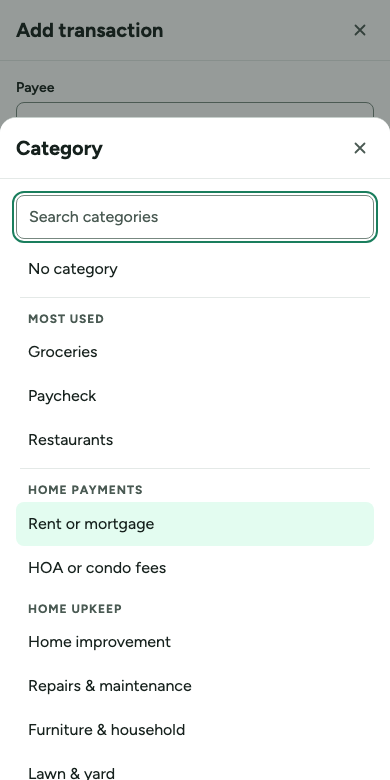
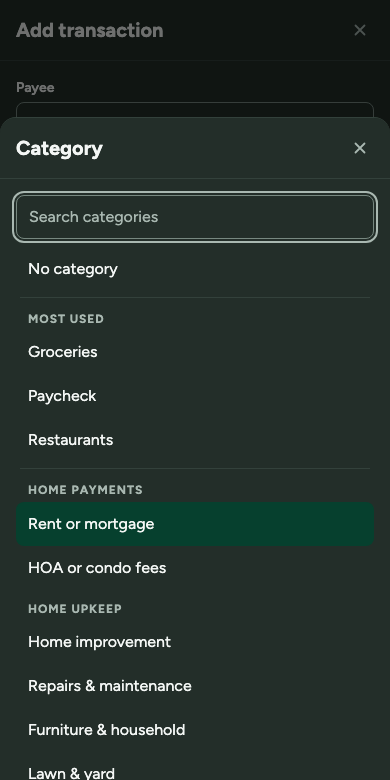
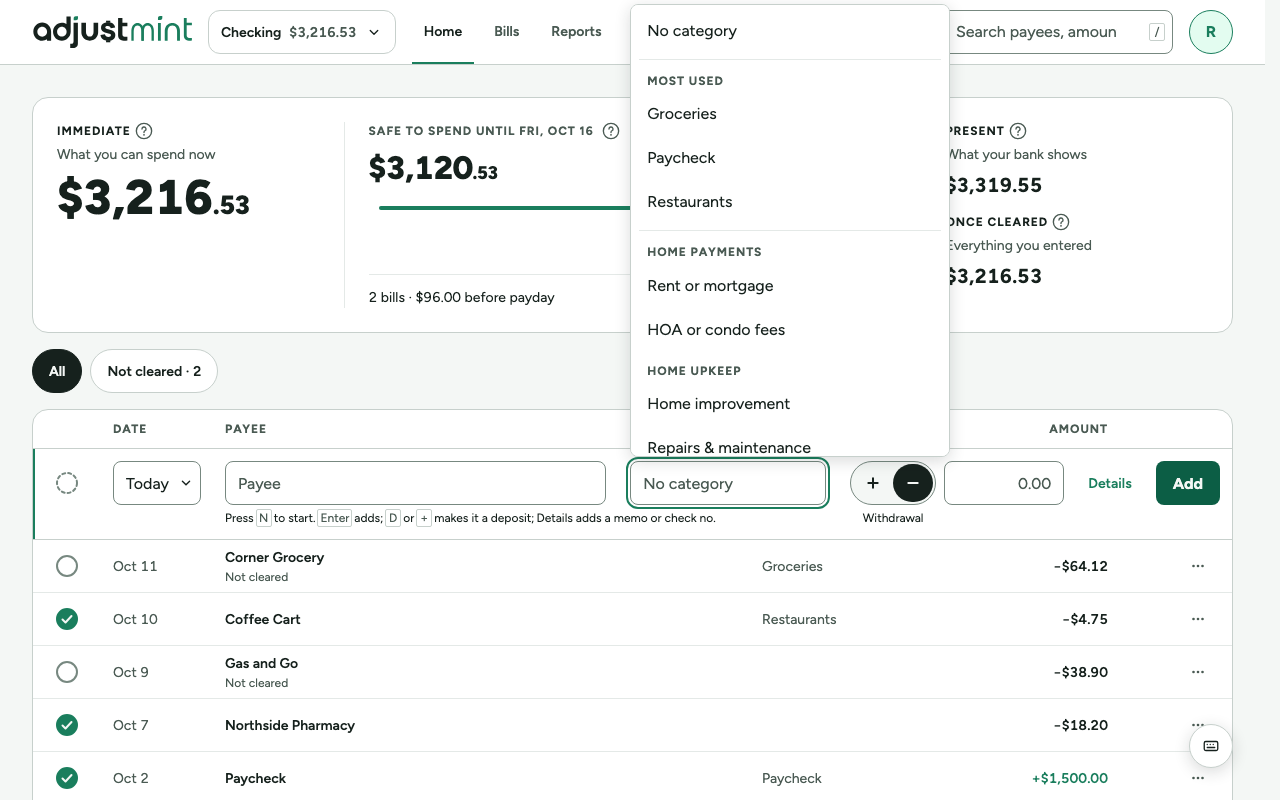
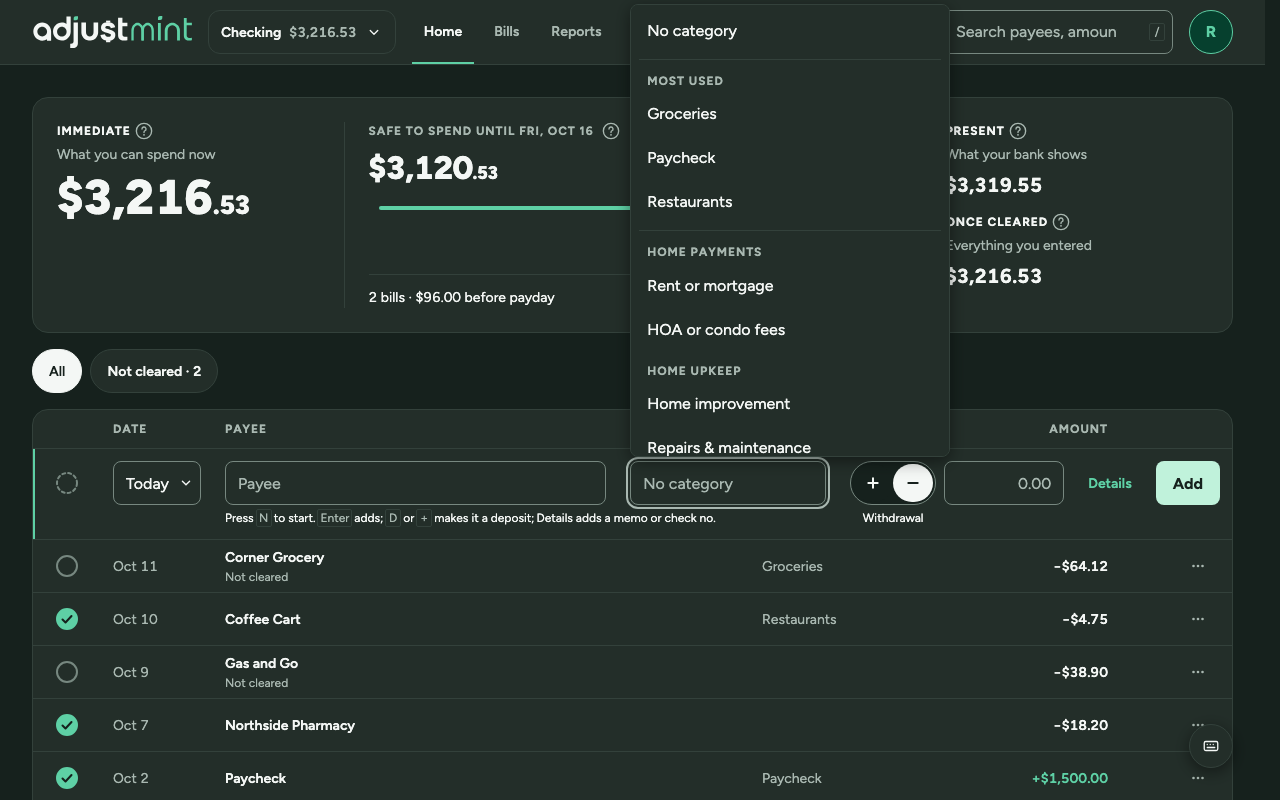
- No category, then Most used: up to 5 categories, by how many transactions use them. Left out until something has been used.
- A divider (1px, border-subtle, 6px above and below, inset 4px) after No category and after the last Most used category, so the three parts read as separate. With no Most used yet, one divider after No category.
- Then every group with a visible category, as a heading, in the groups' set order, with its categories under it: starting categories in their set order, then the person's own, alphabetical.
- Entering a withdrawal: the income groups (Paycheck, Other income) move to the end. Entering a deposit: they come first.
- Hidden categories are left out (unless already chosen on this transaction). A group with no visible categories gets no heading.
Look
- Menu 320px wide (wider than the field), never wider than the window minus 32px; scrolls inside.
- Headings: 12/700, uppercase, letter-spaced, text-secondary. They are labels, not choices.
- Names wrap between words only, never mid-word. A group name, when shown, goes on its own line under the name in text-secondary.
- A group with one category named like the group still gets its heading (the heading shows the idea even when it repeats).
Searching and creating
- Typing drops the headings and Most used: one list of categories whose name or group matches, each with its group under it, the match in bold.
- "Create "…"" stays last; creating still asks which group (unchanged).
Keyboard and screen readers
- Arrow keys move between categories and skip headings; Home and End go to the first and last.
- Each heading labels its group (a listbox with groups), so a screen reader announces "Home upkeep" when moving into it.
Phones
- The same list in a bottom sheet, with the field at the top of the sheet so typing filters as on wide screens.
Built 2.1.0
The app itself, version 2.1.0, with made-up data. Taken 2026-10-11.
Changes
- 2.1.0, Oct 8 2026: Dividers after No category and after Most used. (#49)
- 2.0.0, Oct 8 2026: Group headings, Most used (up to 5) on top, income groups last for withdrawals, search flattens, 320px menu, 85% sheet on phones. (#49)
- 1.0.0, Sep 29 2026: Flat list with Create.