Slim entry row
Spec
This spec is version 2.0.1. Built is 2.0.0; Changes lists what differs.
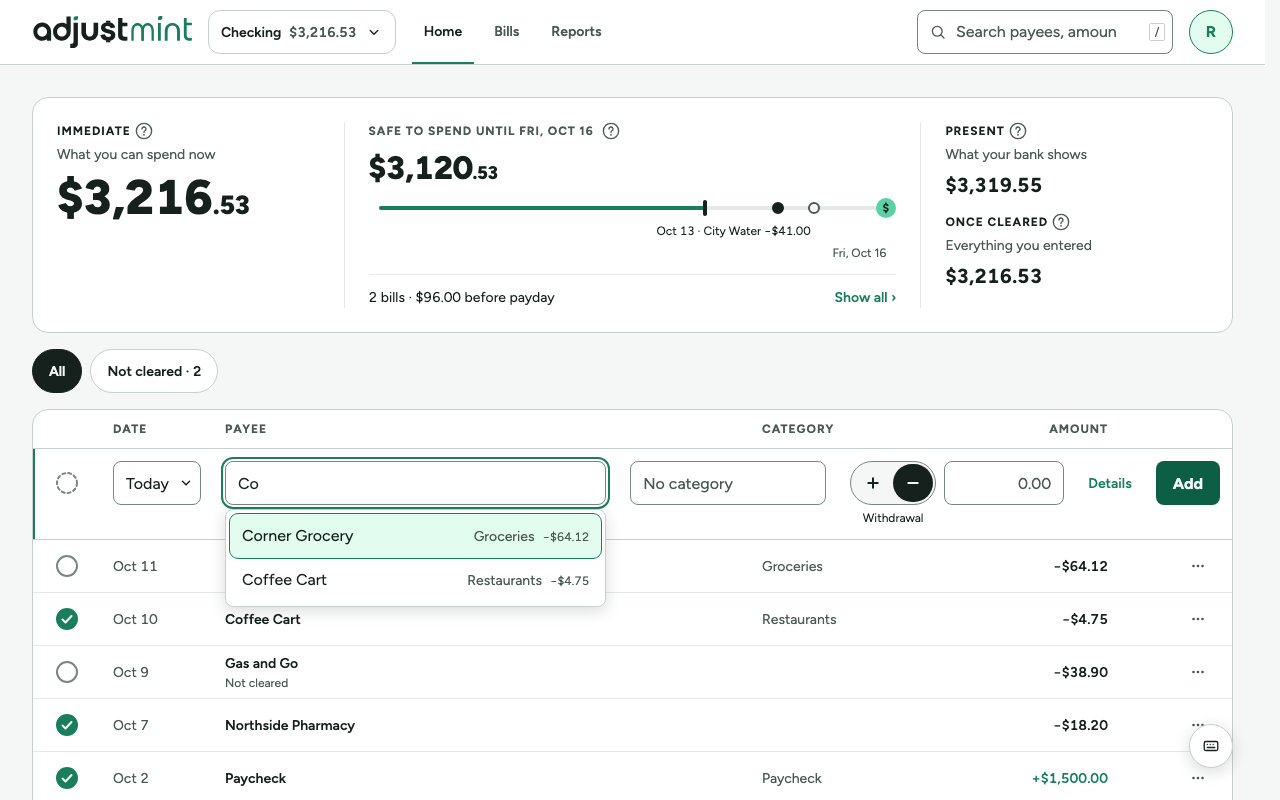
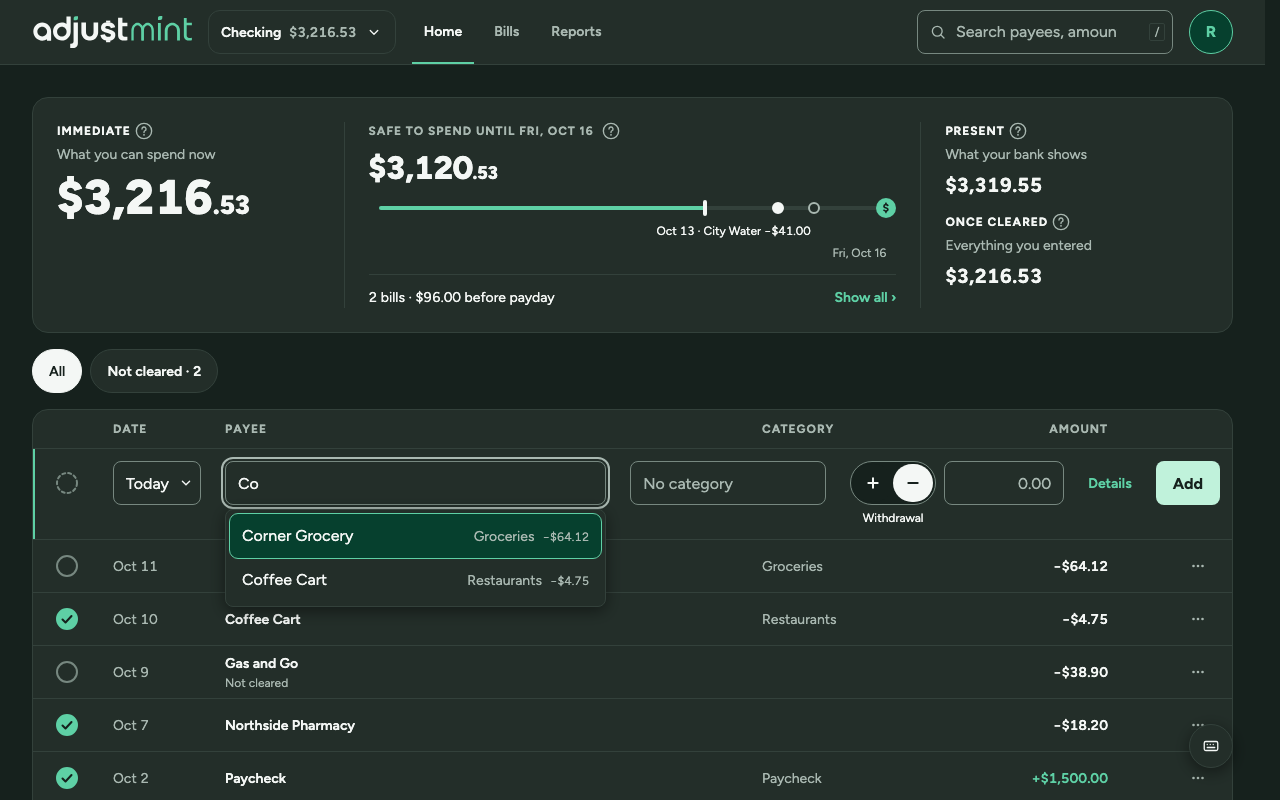
One line, lined up with the register, so a new transaction looks like the row it will become. surface-raised with a 2px border-accent left edge in both themes. The Type control (a segmented control, + and −) sits beside the amount; Withdrawal is the default.
Fields
- Circle (dashed): the new transaction's cleared state. Off by default; click or Space to enter it as cleared.
- Date: a compact button, "Today". Opens Today, Yesterday, Pick a date.
- Payee: combobox with past payees; picking fills category and last amount.
- Category: the grouped category picker (Category picker 2.1.0), prefilled from the payee.
- Type: segmented control, + Deposit and − Withdrawal, with a caption under it (hidden from screen readers). D, + and − switch it from the amount field.
- Amount: right-aligned; its right edge lines up with the amounts below. A deposit shows in text-accent with a + in front.
- Details: text button, opens memo and check number.
- Add: primary button, always enabled. Pressing it with fields missing shows the errors and focuses the first one.
Behavior
- After adding: the row clears, focus returns to Payee, date stays as chosen (for entering a batch from the same day), a toast confirms.
- Errors appear on Enter, under the field, in the error role with an icon.
- Memo and check number: Details opens a second line inside the entry row, closed again after adding.
- Payee suggestions show the category they fill in and the last amount.
- Escape clears the row; a second Escape leaves it.
Keyboard
| N | Focus Payee (from anywhere in the register) |
| Tab | Next field (circle and date are skipped unless reached with Shift+Tab) |
| Enter | In Payee with a suggestion: pick it. Otherwise: add. |
| D / + | In Amount: make it a deposit. − makes it a withdrawal. |
| Esc | Close a menu, then clear the row |
| ? | Open the keyboard shortcuts dialog. Also a fixed round button, bottom right, from 900px (layer --z-floating-button, 60); it moves up while a toast shows. |
Phones
- This row is for wide screens (1024px and up; from 900 to 1024px an Add button opens the dialog). On phones, the tab bar's Add opens the entry dialog, with the same Type control beside the amount.
Built 2.0.0
The app itself, version 2.0.0, with made-up data. Taken 2026-10-11.
Changes
- 2.0.1, Oct 11 2026: The date button never wraps: "Today", "Yesterday" or a short date without the weekday ("Oct 21"); another year adds the year. Full date in the menu and accessible name. (#73)
- 2.0.0, Sep 30 2026: Current spec: one line on its own grid, Details button, Add always enabled with inline errors. Earlier history not recorded.